✅ Get notified automatically when a currency reaches your target rate
✅ Choose exactly what to track: buy rates, sell rates, or official rates
✅ Set free, customizable alerts in just a few minutes
When exchanging currency, rates can change quickly and unexpectedly. Even small shifts can have a major impact on your transaction.
As a buyer, tracking rate changes can help you get the best possible deal. As a seller, you can potentially time your transaction to earn a better return.
To make all of this smooth and easy for customers, we created exchange rate alerts. In this article, we will provide a detailed walkthrough for setting up and managing those alerts. Let's dive in.
What Are Exchange Rate Alerts?
Exchange rate alerts are email-based, automated notifications telling you when a currency reaches a certain value or changes by a certain percentage.
They're an easy, flexible, and free way to keep an eye on any currency you plan to buy or sell, helping you transact at the ideal time.
Getting Started with Exchange Rate Alerts
Our exchange rate alerts are simple: pick your currency, customize your alert, and set your alert frequency.
Before you begin, we recommend logging in to your SafeDinar.com account. This will enable you to easily adjust your alerts later on.
If you don't already have an account, all you need to do is click "Login/Signup" in the top right corner of any SafeDinar.com page. Go ahead and set that up before we begin.
Step 1: Pick Your Currency
Are you logged in to your account? Good.
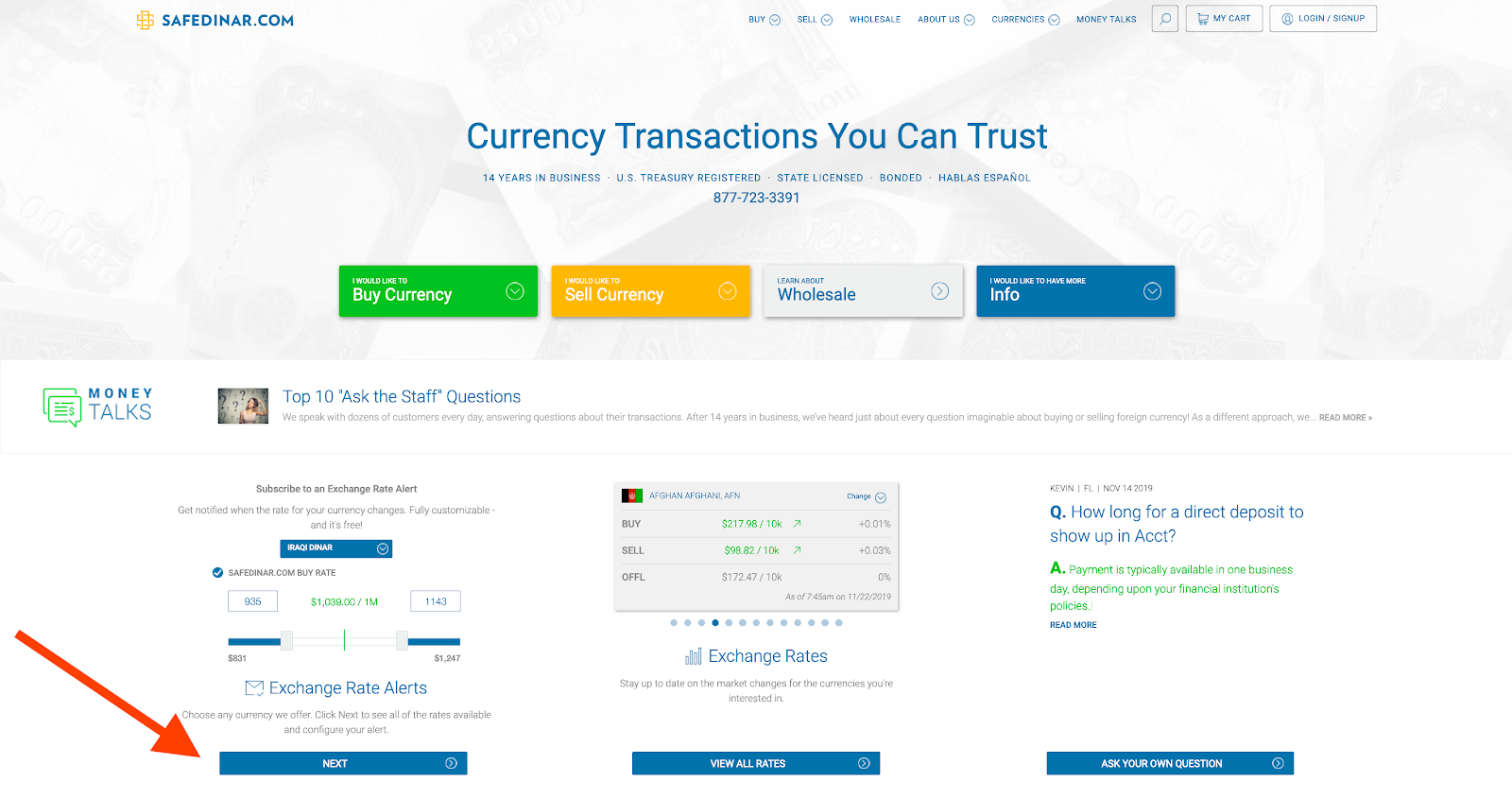
To begin, visit our homepage and click "Next" under "Exchange Rate Alerts", or go directly to our alert subscription page.
Select your currency of choice from the dropdown menu:
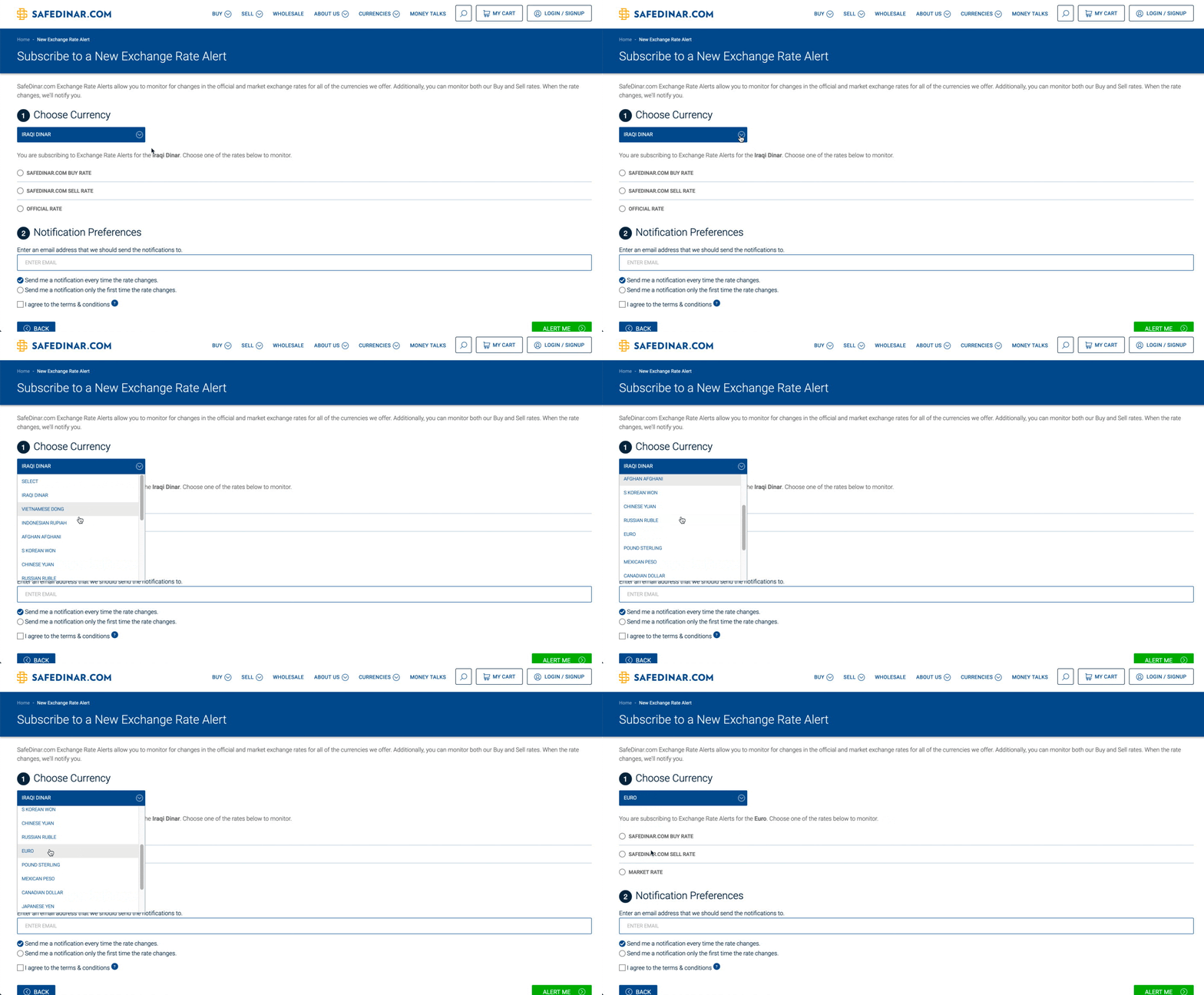
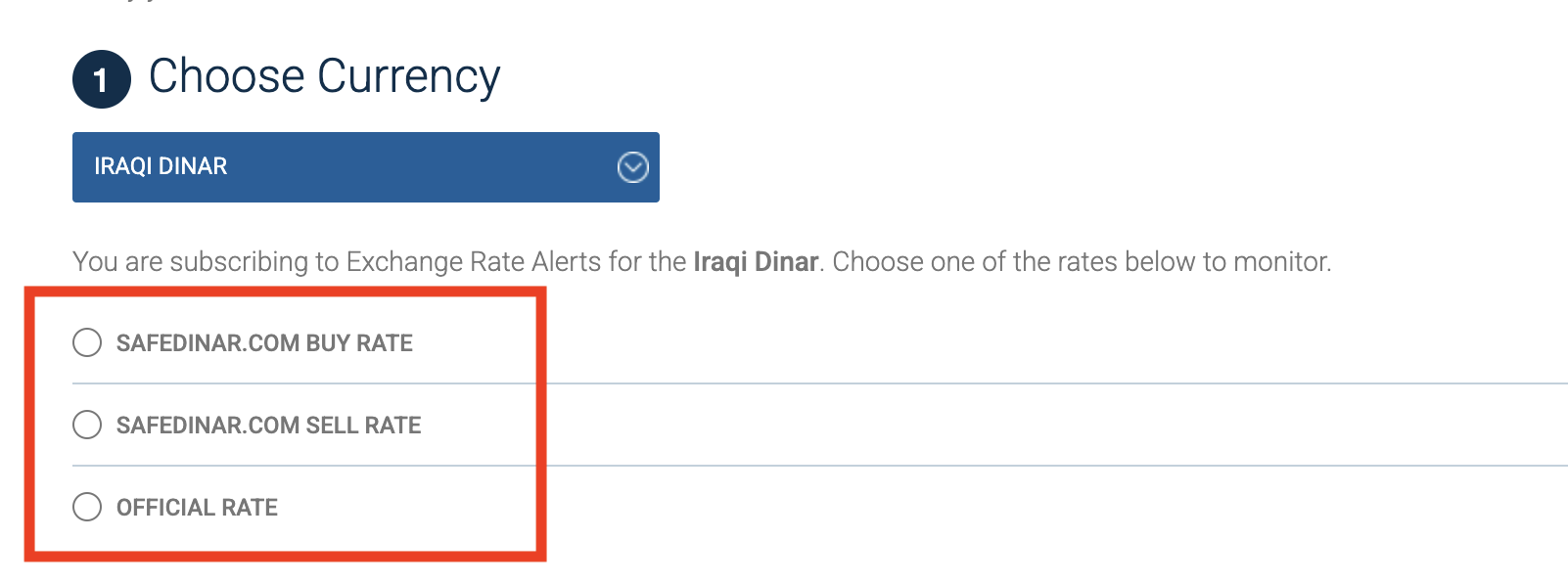
Choose the buy rate, sell rate, or official rate (set by the relevant central bank) to track:
After choosing your rate, the current rate will appear in green, along with two sliders on either side. You can now begin to customize your alert.
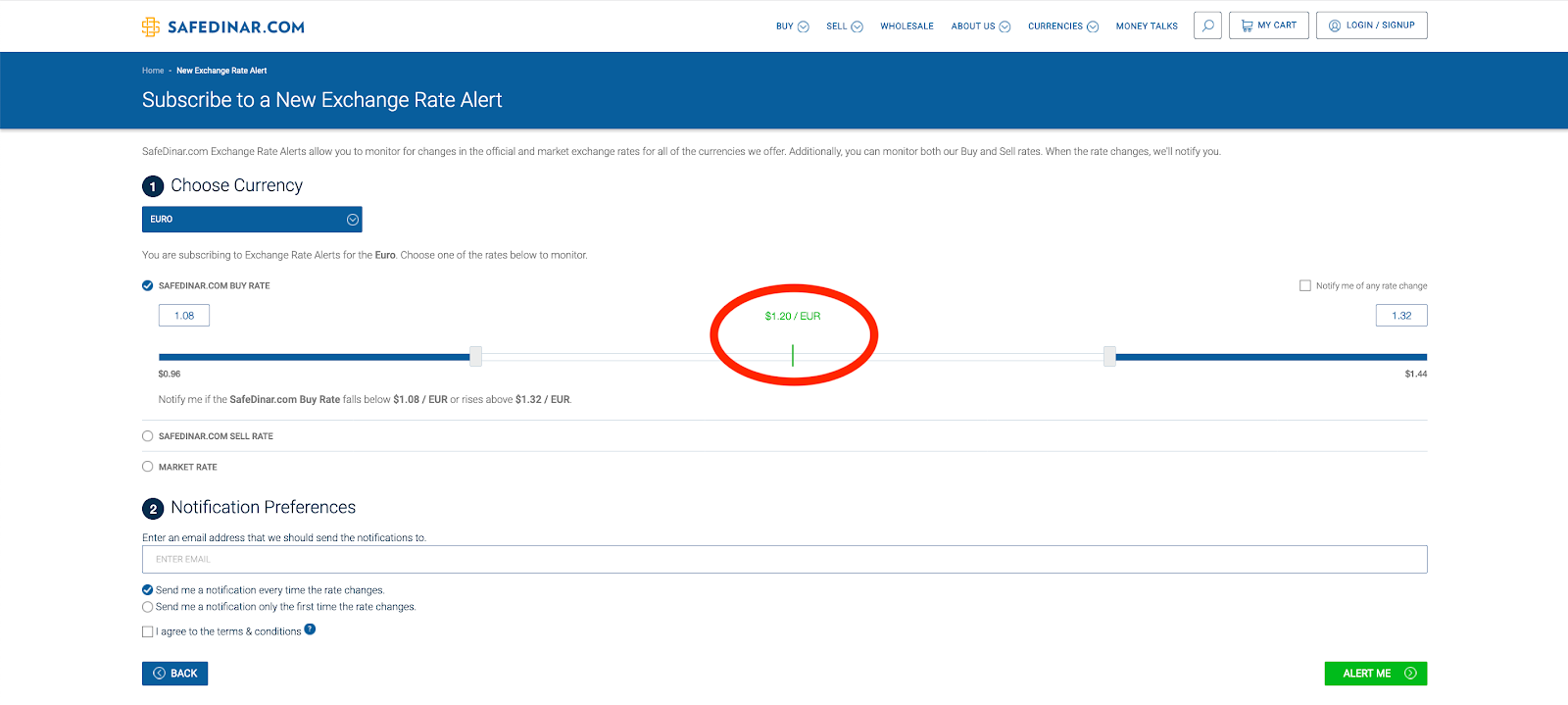
Step 2: Customize Your Alert
Now for the fun part: how exactly do you want to set up this alert?
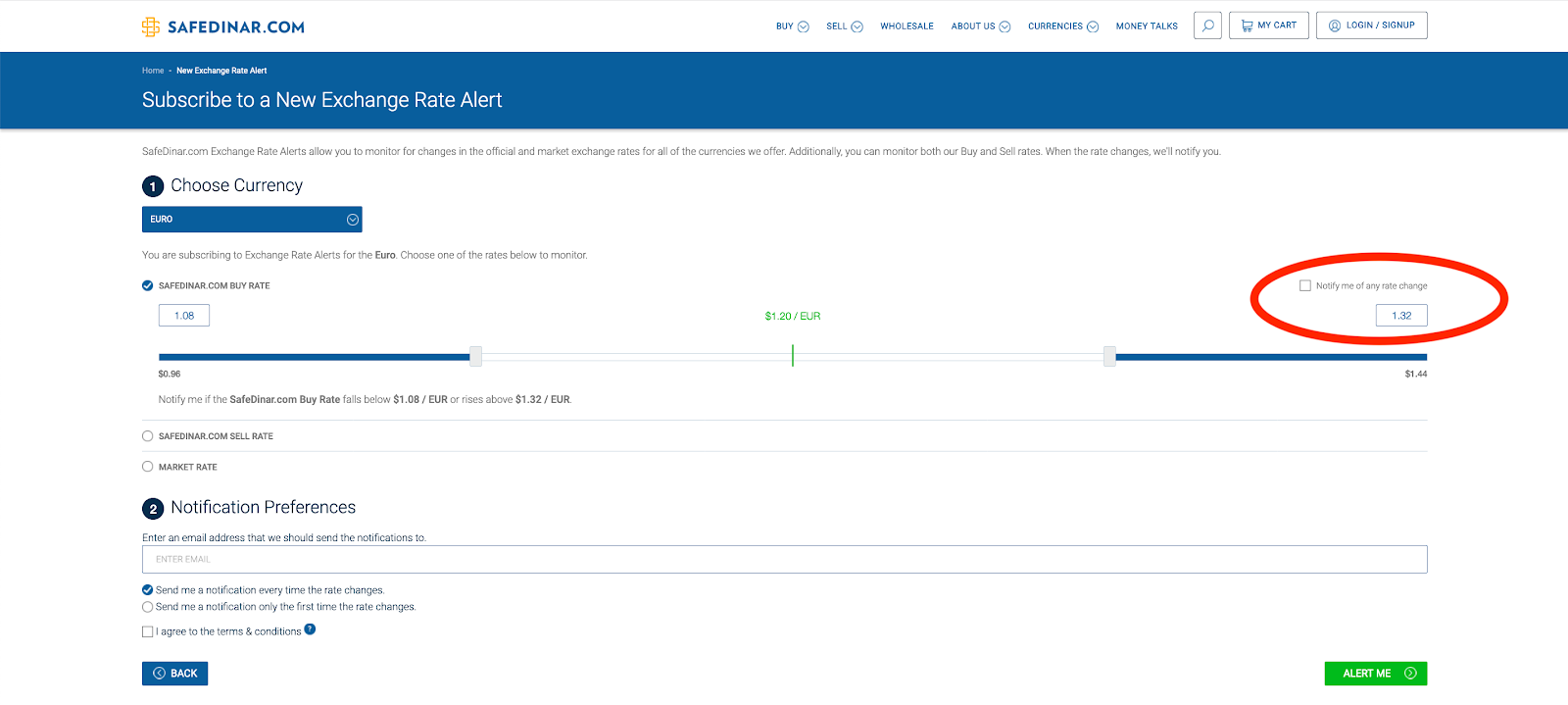
Want to track any changes to the rate? Just check the option on the top right:
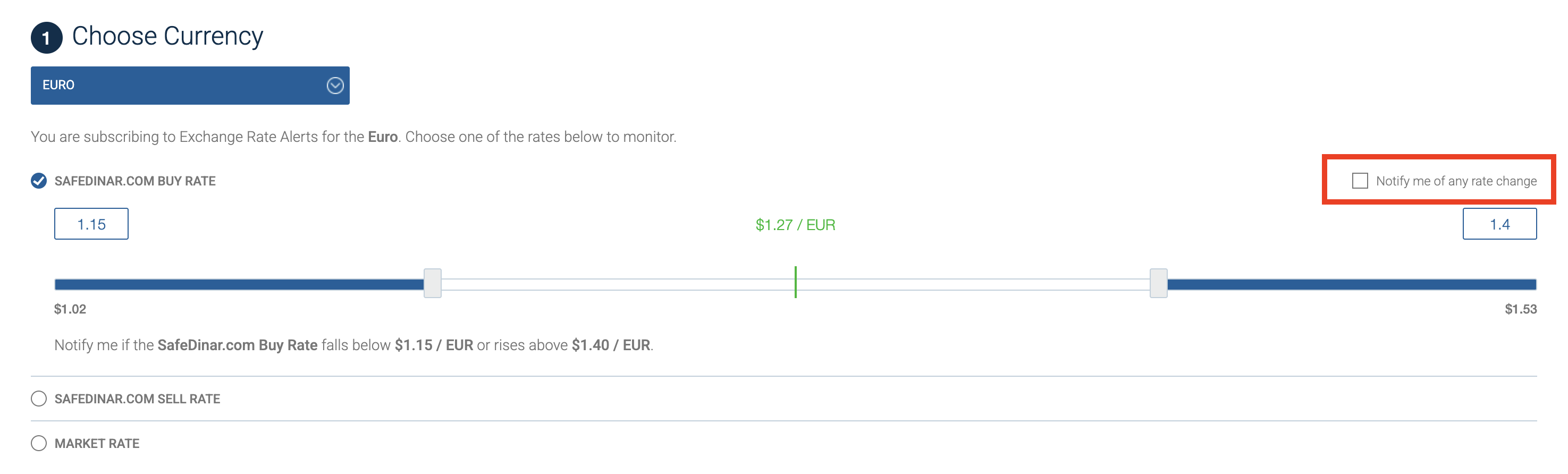
Want to track a percent change, such as a 5% increase or decrease? Easy: drag the bracket left or right until you see the percent change you're looking for. The left bracket tracks decreases in the currency's value, and the right bracket tracks increases.
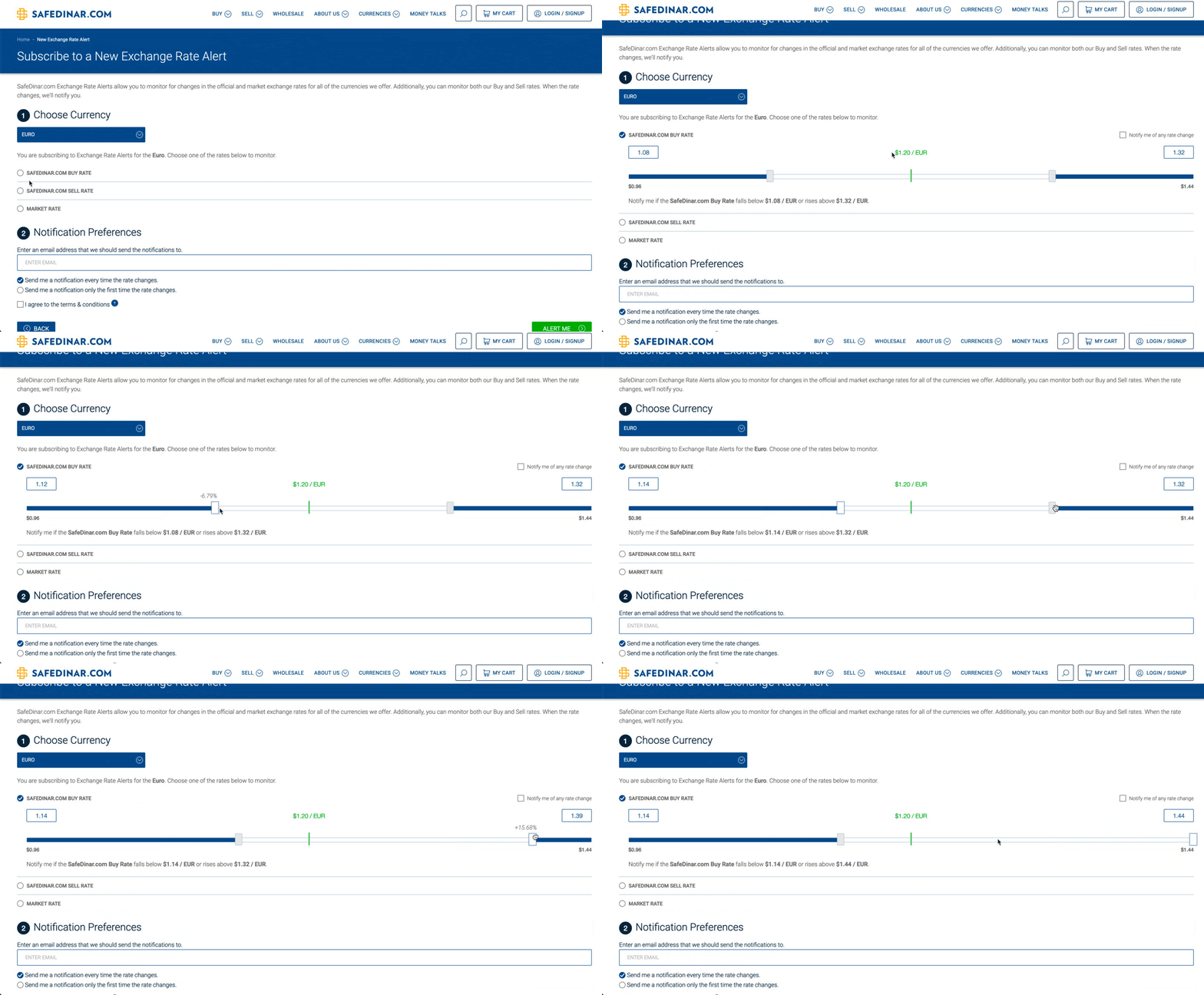
If you prefer not to drag the brackets, you can manually enter your target value in the fields on either side.
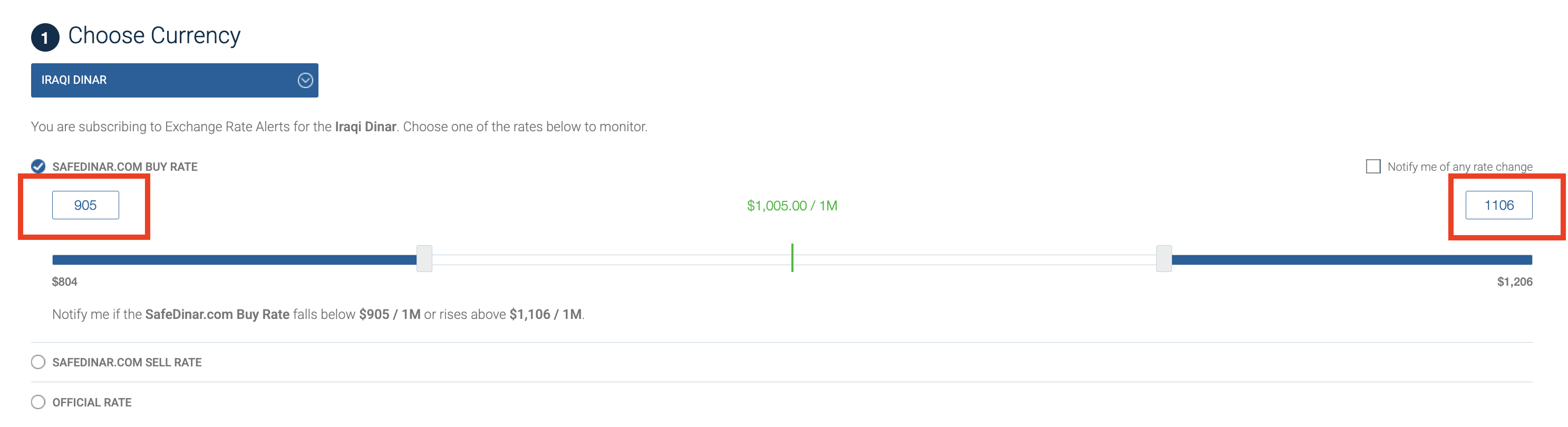
By default, our alerts track increases and decreases in value. If you only want to track a one-way shift in value, drag the bracket you aren't interested in to the maximum end — this technically tracks about a 20% change, but such large fluctuations are rare for most currencies.
Step 3: Setting Alert Frequency
Your last step is to determine whether you only want an alert the first time the currency surpasses your set value, or every time. Just select the option you prefer directly below your email.
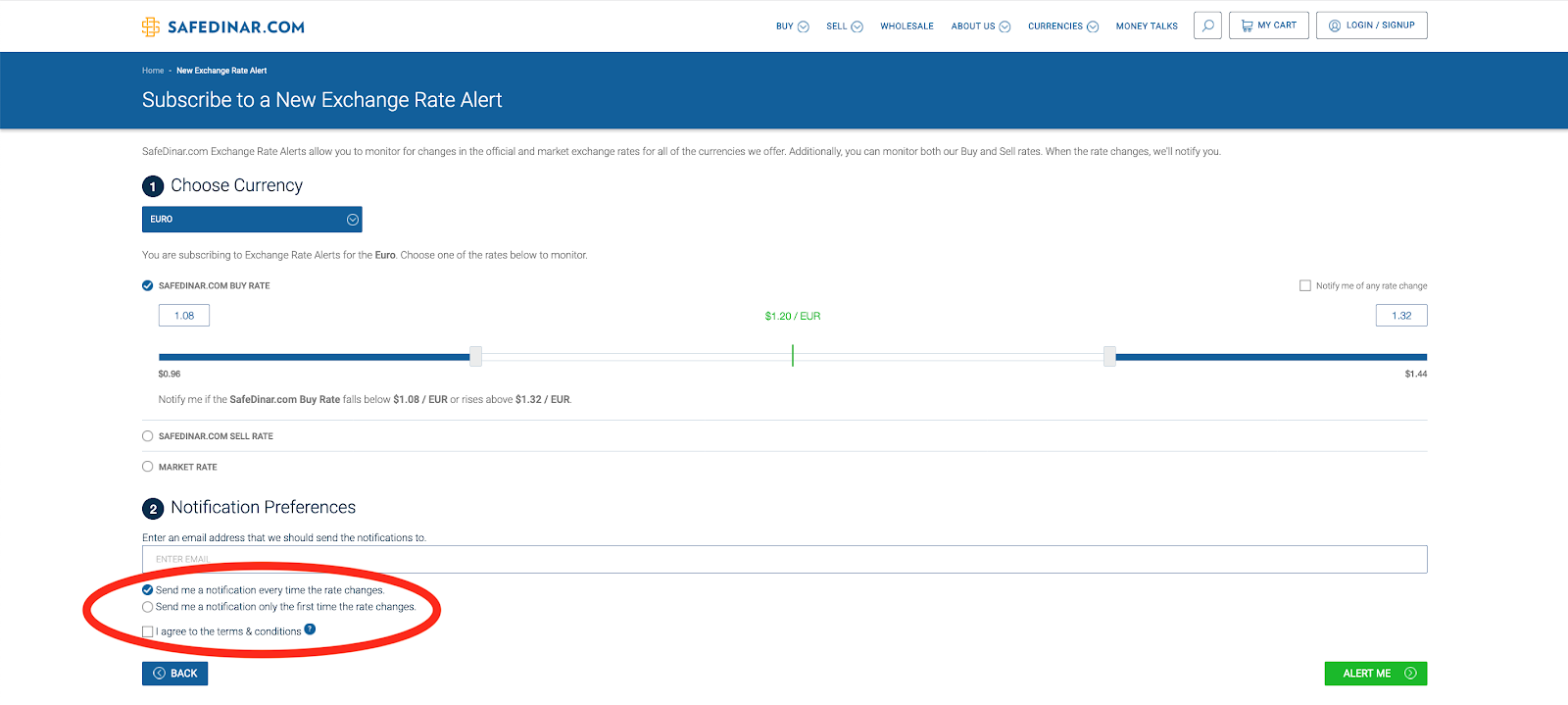
Finally, enter your email, check the Terms & Conditions box and the CAPTCHA box, and click the "Alert Me" button to confirm your alert.
Confirm Your Alert
Now that you've set up your first alert, keep an eye out for a confirmation email (it may take a few minutes). It will look like this:

Once you click the confirmation link, you will begin to receive the alert you requested.
Can I Set Up Additional Alerts?
Absolutely! Just go back to the alert subscription page and repeat the process as needed.
What Do Alerts Look Like?
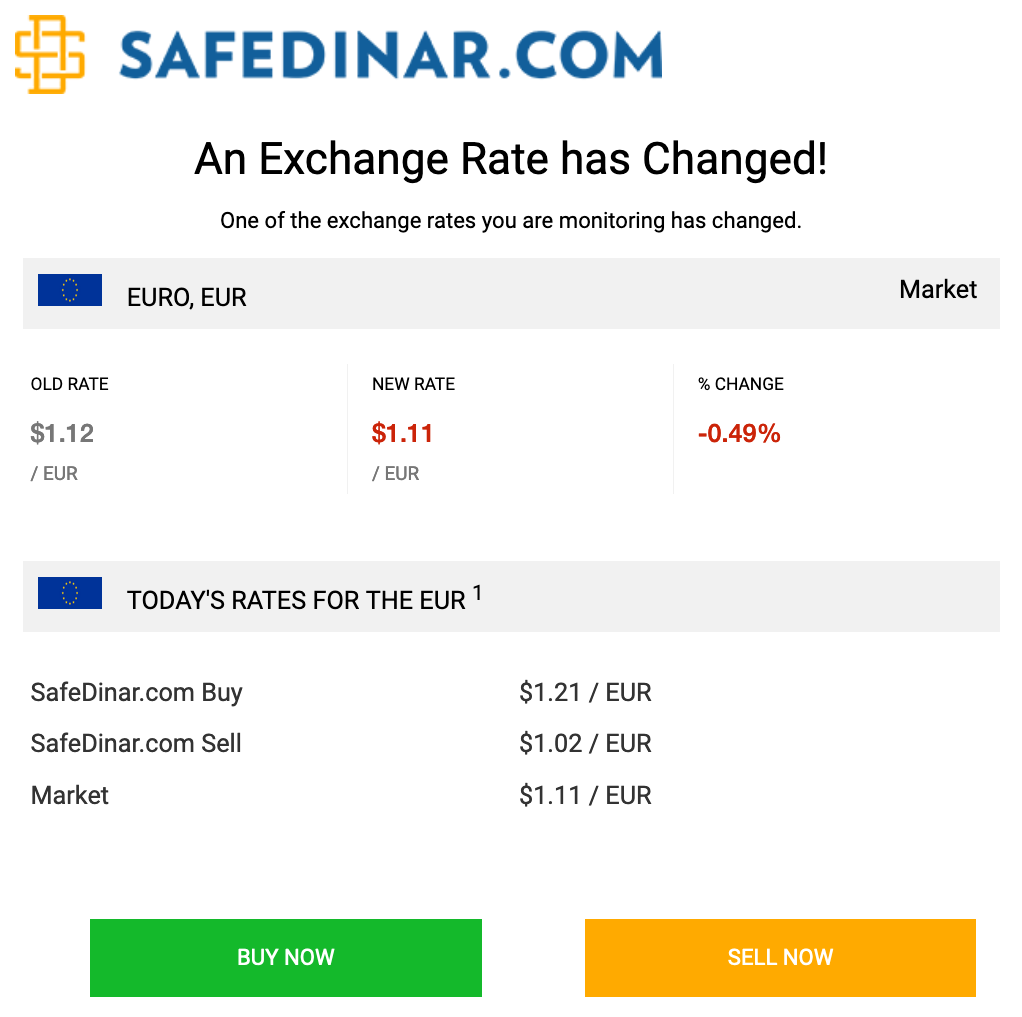
Alerts are currently email-based, and they will appear in your inbox from SafeDinar.com with the subject line "Exchange Rate Change Notification", followed by the date.

To be absolutely sure you receive the email, you can whitelist info@safedinar.com, which sends out all alerts.
Inside the email, you will see all the relevant information about the rate change, along with convenient links to buy or sell that currency if you wish.
How Do I Make Changes to My Alerts?
As long as you were logged in to a SafeDinar.com account when setting up your alerts, you can edit your alerts at any time.
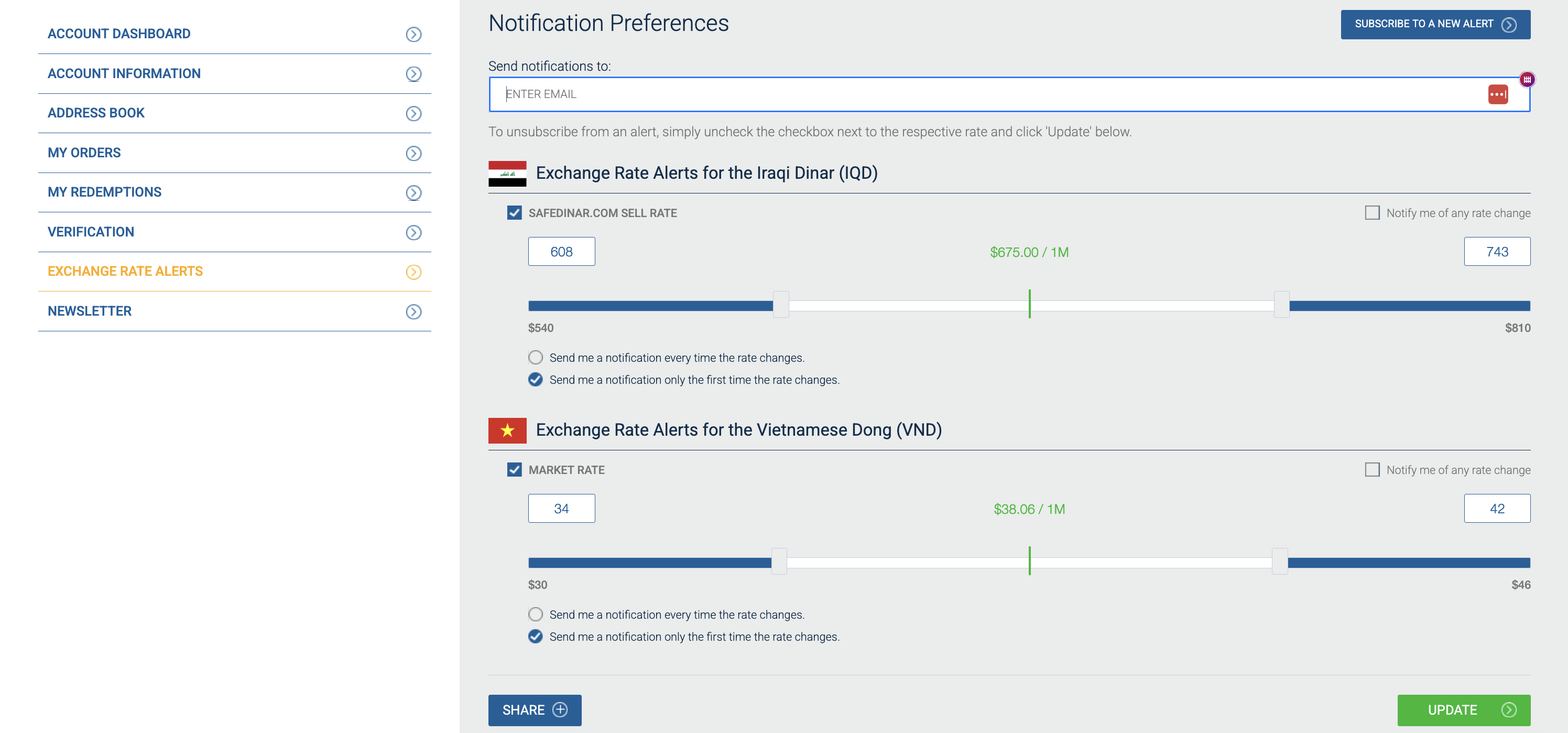
From any page on our website, click your name in the top right corner and click "Account Dashboard" (if you don't see your name, you aren't logged in). This will take you to the account page, allowing you to select "Exchange Rate Alerts" from the sidebar. Alternatively, you can go straight to this page.
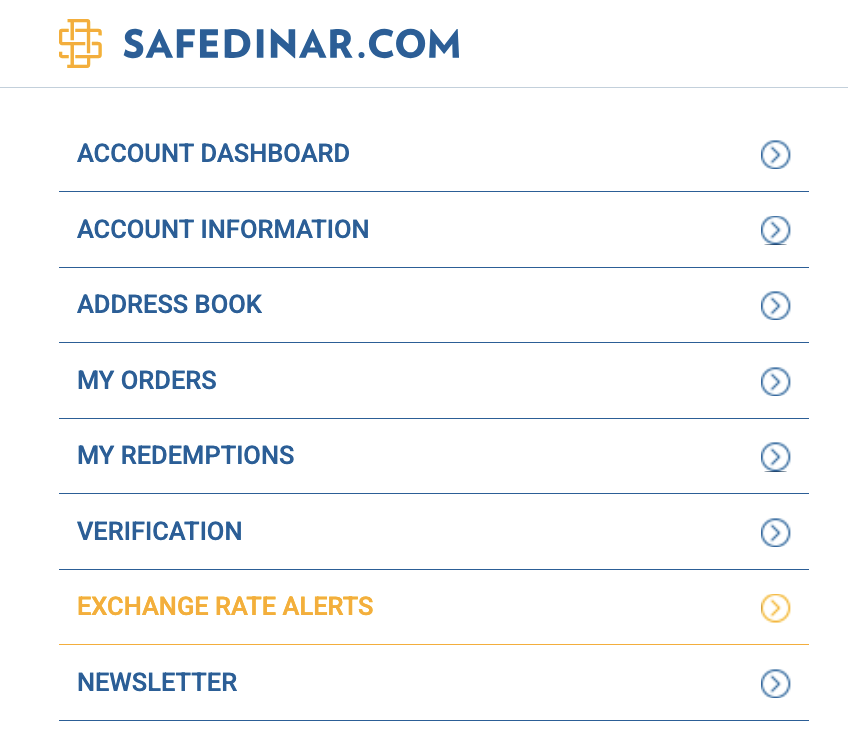
You should now see all your alerts in one view. To add additional alerts, click "Subscribe to a new alert" in the top right. To edit existing alerts, make your changes and then click "Update" in the bottom right. To unsubscribe from an alert, uncheck the rate box and click "Update".
That's It!
Hopefully, you now have a complete understanding of our exchange rate alerts and feel comfortable setting them up exactly as you wish.
Still have questions? Get in touch.